Have a computer in your truck?
#11
 12-25-2009, 10:06 AM

Join Date: Aug 2004
Location: Mannington, WV
Posts: 4,482

Centrafuse is the front-end software that allows easy access to programs I use while driving, such as Garmin's GPS & Drivers Daily Log. It also does the playback of my mp3's & plays the XM radio that's hooked to the computer through the truck stereo.
__________________
My facebook profile: http://www.facebook.com/malaki86
#14
12-26-2009, 04:40 PM
I found that website the other night when I was bored. I didn’t register but I was reading the posts when I found one of yours. It was about total trip miles in the directions pane in Streets & Trips 2010 being correct but wrong in the navigation pane. Strange.
Anyway, I checked mine out the next morning and also several times since then, and I don’t have that same problem, as both panes at least on my copy report the same mileage, and I also downloaded my copy from Microsoft’s website. When my 60-day trial was finished, I just keyed in the product key to activate it without uninstalling and then reinstalling. However, I don’t know for sure if the problem existed before I activated it. Nevertheless, if there was such an obvious difference I’m pretty sure I would have caught it as that big of a discrepancy is hard to ignore. Hence, since we both downloaded Streets & Trips 2010 from Microsoft’s website that problem you found should be on every copy that was also downloaded, but it is not. Weird. Thus, maybe it is something else causing the discrepancy. Anyway, what kind of GPS are you using? I wonder if the kind of GPS you are using could possibly be causing the issue? Moreover, I’m still using an old 32-bit computer. I’ve heard a lot of people complain about strange problems when they switch to 64 bit computers. Oh also on that setup you got, how long does it take for you to swap trucks? And I hope you are insured in the event your truck ever catches on fire.
#15
12-27-2009, 12:11 AM
Join Date: Aug 2004
Location: Mannington, WV
Posts: 4,482
I downloaded my trial version the day it became available. It's possible it was fixed afterwards.
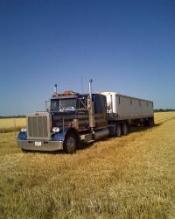
Also, I'm running it on a fairly new 64-bit Vista computer. It's very possible that's the problem. I use a BU-353 receiver. It's a weatherproof model that's mounted on the passenger door outside of the window. I can empty everything out of my truck in 1-1.5 hours. I just have the cables stuffed into crevices to keep them out of sight and so I don't trip on them. The only thing I need tools for when swapping trucks are 3 different sockets and a ratchet to remove the laptop stand & power inverter. As a company driver, I've yet to find a way to insure my personal contents... Edit: I also found the software I was looking for to take a photo out of my windshield every so often. Once it takes the photo, it'll upload it to my webserver and create the webpage, with it displaying the most recent photo on the top. It can also embed text onto the photo. Once I get back in the truck tomorrow, I'll try to get it all running and post the link to the page it creates. The webcam I'm using cost a whole $5 at Big Lots and the software is $19.95 to register. The software is called TinCam. I'll set the software up to only run when I run Centrafuse. That way it will only take photo's when I'm driving because when I park I shut Centrafuse down.
__________________
My facebook profile: http://www.facebook.com/malaki86 Last edited by Malaki86; 12-27-2009 at 12:24 AM.
#16
12-27-2009, 06:03 AM
Join Date: Aug 2004
Location: Mannington, WV
Posts: 4,482
I also just found a piece of software (still in development) which will basically record a set size'd file. Once the file size is reached, it'll start overwriting itself. You can easily save the current file for later use.
This could be invaluable in the event of an accident in which you're plainly not at fault.
__________________
My facebook profile: http://www.facebook.com/malaki86
#17
12-27-2009, 07:47 AM
Also, I'm running it on a fairly new 64-bit Vista computer. It's very possible that's the problem.
After he retrieved his computer to show me I realized he was using a 64-bit computer. Hence, are you able to check for restricted routes and low clearances on your 64-bit computer via the Truck Stops Plus template? I briefly searched google for him and found some posts that said that links were handled differently in 64-bit systems, but eventually I just told him to contact the Truck Stops Plus people.
#18
12-27-2009, 09:47 AM
Join Date: Aug 2004
Location: Mannington, WV
Posts: 4,482
I didn't run Streets very long with the template on it. I switched to Garmin Mobile PC soon after. When I was running Streets, I went to our normal pickups & didn't need to check for the restricted routes since I'd been there multiple times in the past.
__________________
My facebook profile: http://www.facebook.com/malaki86
#19
12-27-2009, 10:20 AM
Wow Garmin Mobile PC. I had never heard of it. I will have to check it out. Were you able to load the Truck Stops Plus database in that one too like you did in your portable GPS device and can you see upcoming POIs in Garmin Mobile PC like you can in Streets & Trips?
#20
12-27-2009, 10:25 AM
Join Date: Aug 2004
Location: Mannington, WV
Posts: 4,482
That's a big drawback with the Garmin - you can't see what's ahead of you on the map like you can with Streets. But, yes, I was able to import the POI's into it, so I can manually do a search for them.
Mobile PC looks like a large Nuvi interface. It works great on the 7" screen - easy to read text, good colors especially at night, very easy to use.
__________________
My facebook profile: http://www.facebook.com/malaki86 |